Evolution from a server-based to a serverless environment


Exchange of information needs a server.
Consider this: you search for a topic on Google, and it returns your request with a list of search results; in the background, a server, which is just another computer, is processing these requests to deliver the data back to you over a network.
In the current era of the digital revolution, every business operates as a software company with a multitude of applications running to facilitate faster business operations, in effect allowing businesses to stay in the competitive markets.
Server deployment architecture has come a long way from huge bare metal servers where the developers had to overlook the entire infrastructure that went behind the servers to a serverless deployment where only functions are provided as a service, and the entire setting up of servers and their operations is carried out by server providers.
Let’s delve deep into the evolution of servers from server-based computing to serverless functions as a service.
Server Based Computing

These servers, also called bare metal servers, are installed in data centers in racks. They provide computing resources such as CPU, memory, storage, and network and run for three to five years before the latest hardware replaces them.
A dedicated administrator is necessary to configure the applications. The OS that has to be installed on the hardware and the administrator must ensure that the OS is always up to date during the server’s lifetime to mitigate any risks.
The capacity of these bare metal servers is estimated before installation, and the complete deployment procedure, from purchase to delivery to installation, takes approximately six weeks.
Now coming to the scalability of these servers, they are definitely scalable, and you can scale them either vertically or horizontally.
Vertical scaling is when you upgrade the computing resources (CPU, memory, storage, and network) of a server during its lifetime; but this is a tedious and expensive process since it involves taking the server offline, and the process is the same as the deployment process done at the time of the purchase.
Horizontal scaling is more feasible since it involves adding similar servers to the processing pool or the database cluster. However, since new servers are added to the existing pool of servers, there is a mix of old and new CPU generations, causing a slowing down of the newer servers.
Server based computing has been the norm in the past; however, the costs of scaling up and down the servers, the enormous resources consumed for running applications, databases, and services have been a considerable deterrent for their adoption.
Virtual Machines or VM’s
What does a virtual machine do?
A rather innovative idea of virtualizing multiple machines on a single physical server was developed to overcome scaling limitations and massive resource consumption involved with server-based computing.
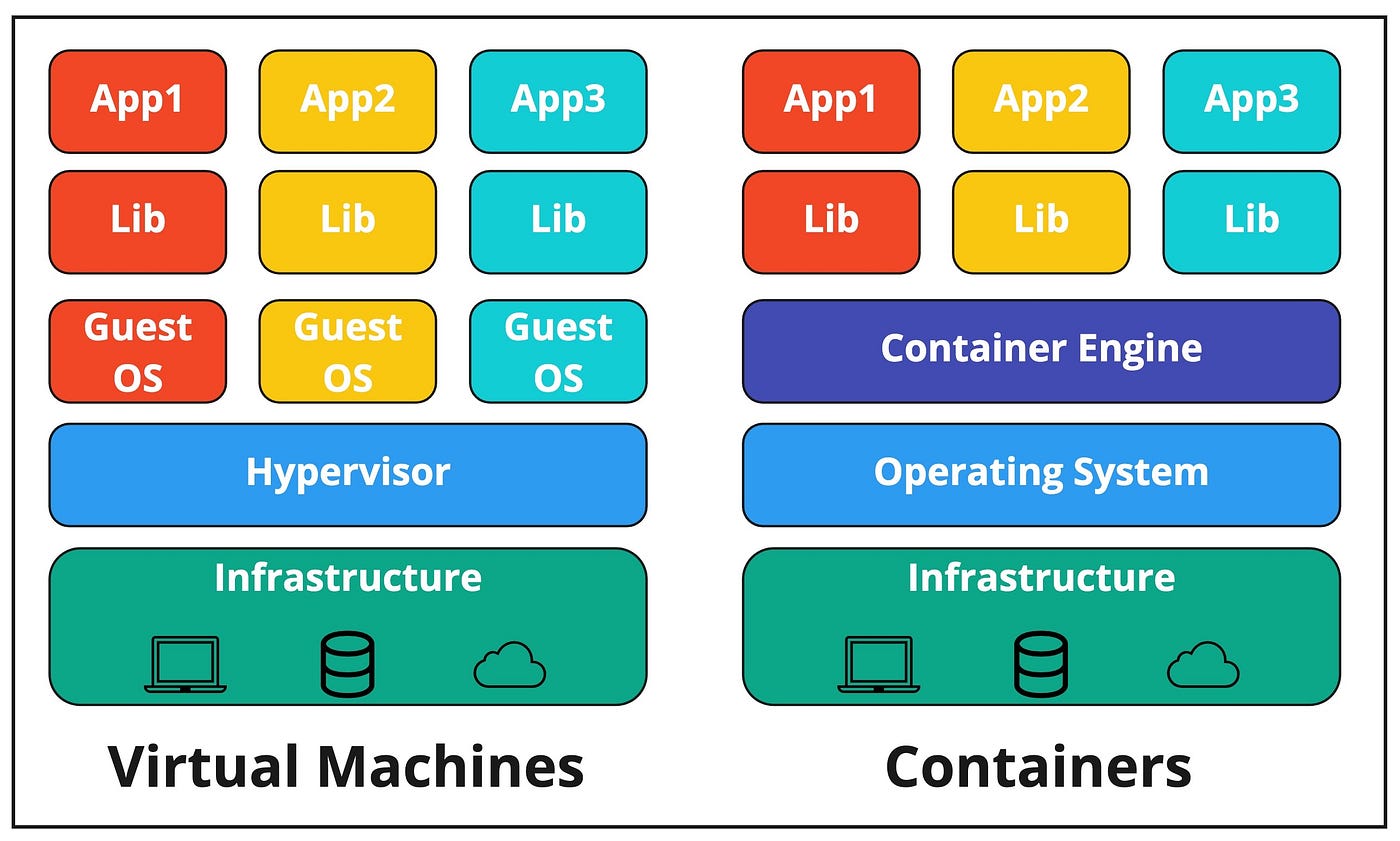
There is one physical server or hardware or the host, and multiple virtual machines are running on the same host at the same time; imagine running both Windows 10 and Windows XP on your personal computer; the hardware is the same, but two different softwares are running at the same time.
A hypervisor installed on top of the host operating software ensures that host resources are efficiently shared across all VMs and that no data from one VM may be read by the other even though they are on the same host.
So, how is Virtual Machine better than a physical server?
In comparison to server-based computing, virtual machines are scalable, simple to restore and backup, and allow live migrations, i.e., where running virtual machines can be relocated from one host to another with no downtime.
Again, VM’s have their fair share of disadvantages in terms of time and budget,
-
A virtualization pool with hundreds and thousands of virtual machines all having different OS and softwares needs regular updates/patch installations.
-
These updates have to be carried out by an admin, which is time-consuming, or by automation software which is rather expensive.
-
Because a part of these virtualization pools is dedicated to the maintenance of these VM’s OS’s and applications, the efficiency of these pools is considerably diminished, and any updates use even more resources.
-
Suppose a VM is configured for high availability. In that case, a backup host is constantly running in case the primary host fails, resulting in a waste of time, money, and resources, and this is true even for automatic resource scheduling.
-
You can avoid additional backup servers by hosting VM’s on the cloud, but some features like live migrations are not available on the cloud.
Even with these drawbacks, virtual machines are still preferred if you are running old applications or third-party softwares that run for years without many changes; virtualizing is a much cheaper option in such cases.
New posts on entity resolution, identity data and AI. No spam, unsubscribe any time.
Containers
Virtual machines were excessively cluttered, and installing a guest OS every time, even for similar applications, became a time-consuming operation, resulting in a server that could only run to one-tenth of its capabilities due to storage space being consumed by an application’s guests OS’s and other dependencies.
On the other hand, Containers have all the benefits of Virtual Machines, such as running separately on the same host but instead of installing a guest OS for each application, the containers are called container images before deployment.
These container images are software programs that have the application code, libraries, and all the other dependencies packaged together.
So, you might be wondering where the guest OS goes; containers use the kernel of the host operating software, eliminating the need for a guest OS for each application.
Instead of a hypervisor, there is a runtime engine or container host called Docker Engine (if you are using Docker software for virtualization). When container images are deployed on the Docker engine, they become containers.
To manage the containerized applications, such as orchestrating their deployment, run time, assessing the resources shared, etc., an orchestrating system called Kubernetes is used. Kubernetes ensures application security, automates deployment, scales applications, allows clustering of containers, etc.
Containers are popular because
-
They can auto scale easily within minutes both on-premise and using cloud services such as AWS Fargate.
-
A load balancer is enough to scale the containers up and down based on the incoming requests.
-
The applications can be reused and used as microservices.
-
Agile DevOps is easier with containerization, and applications can be easily deployed without bugs and technical errors.
-
They use lesser computing resources in comparison to a Virtual Machine.
Containers look to be a perfect evolution from the physical servers, but no! They come with a few limitations.
-
There must always be two containers running to serve the incoming request, and they must be running even if there are no incoming requests, so you will always incur a base cost for running an application as containers.
-
Containers can handle a usual surge in incoming requests because they run until 80 percent capacity, and there is always extra headroom available to add additional containers. But when there is a sudden surge in requests, say from 1 to 100 or 1000, the container will just overload and cease to respond until additional servers are deployed.
-
Another significant disadvantage is that during such a surge in traffic, additional requests are lost because the applications are down.
Serverless or Function as a Service
Every other server deployment architecture involved maintaining at least one server regardless of whether or not requests were coming, incurring heavy maintenance costs, and scalability was a recurring theme in all of the server environments mentioned above.
During software deployment, you must always think of maintenance issues and administration issues with the servers and not just about the applications you are developing.
To alleviate these concerns, many cloud services have emerged, including Infrastructure as a Service (IaaS), which abstracts the underlying hardware from software deployment, Platform as a Service (PaaS), which abstracts both hardware and software so that a developer can focus solely on developing applications, and Software as a Service (SaaS), which provides readymade applications for users on the cloud.
Above all this, a recent development is FaaS or Functions as a Service that abstracts all the underlying stack layers, including the application layer, such that the developer can solely focus on the functions from these applications.
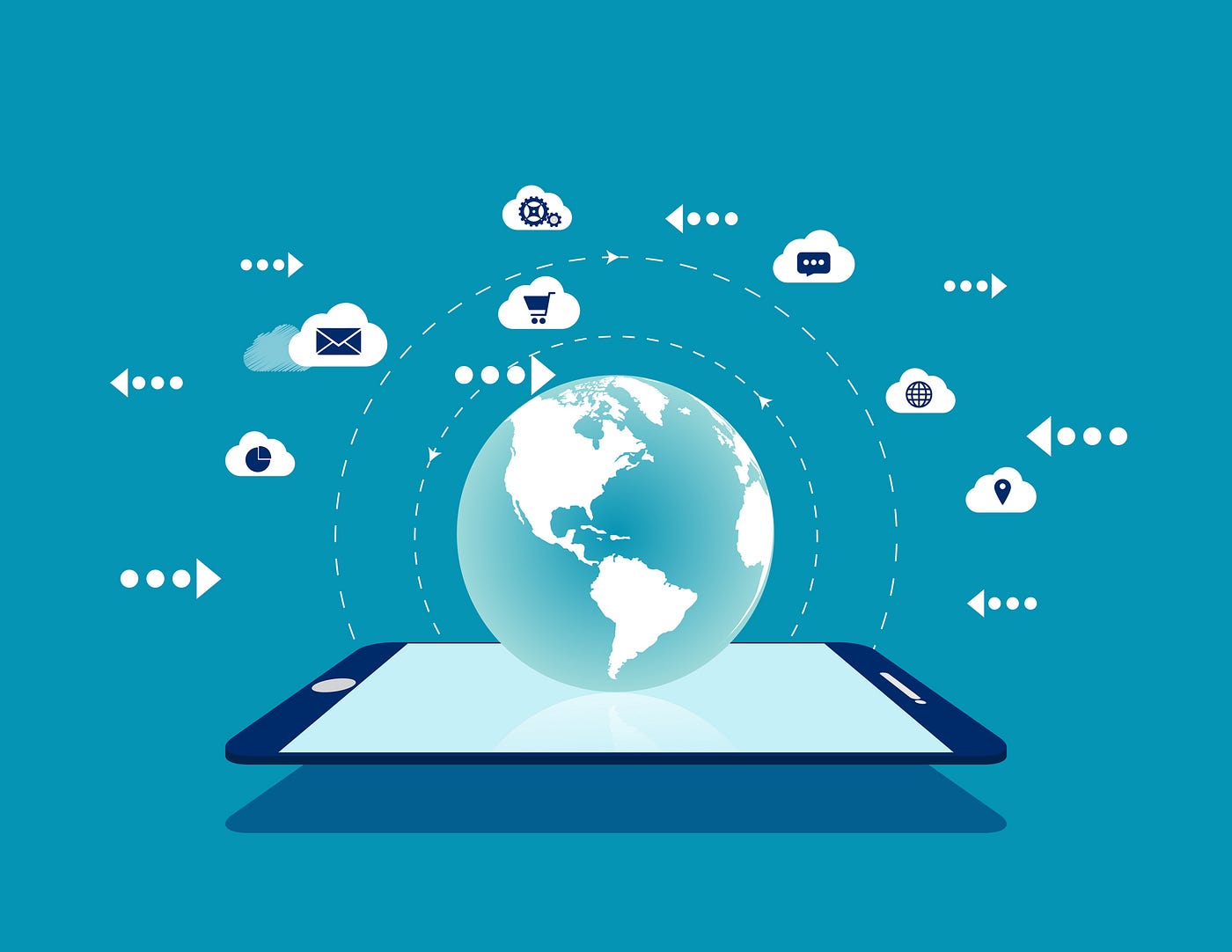
These functions are executed on the cloud environment without the need for a user to manage anything! by anything, we mean the full stack implementation layer right from underlying applications, operating systems, servers, data centers, and so forth.
Specific requests generated from a user are sent to an API getaway that then invokes a function to access the database to retrieve the necessary information and send it back to the end-user. These functions are run until the result is obtained. Since these functions are stateless, the data is stored in a database or storage layer.
For example, a new user registers with an eCommerce store website; this is the request which calls an API which then invokes a create account function that accesses the customer database; the create account function here is the Function as a Service which is one individual task out of the greater application.
Thus, Functions as a Service or FaaS is a computing platform where you can run your functions or single units of your application in a cloud environment and is also referred to as Serverless.
Why is serverless becoming popular as the new deployment platform?
Pay as you go
Since the cloud provider takes care of CPU, memory, network, etc., there is no base cost involved in a serverless environment.
The cost is based on the functions executed, such as the time and memory used to execute a function, and no expenses are incurred if functions are not executed.
Because the cloud provider manages the hardware, networking, operating system, and execution environment, there are no direct costs for managing and maintaining the environment.
Scalability
As the incoming requests go up, the number of functions executed goes up. At the same time, the function executions drastically go down as the requests slow down. This happens automatically without any external interventions such as shutting down servers, VM’s or containers.
Polyglot
Since the functions are independent, they can be written in any programming language. However, costs, execution time, supporting libraries, connection times to databases, and startup times must be considered before using a programming language.
Highly Available
Since it is available across various geographical locations Function as a Service platform can be easily deployed on those regions without any incremental costs. Thus, making FaaS inherently highly available.
Can easily update applications
This is a significant difference between functions as a service and containers, as containers typically process many requests at once. In contrast, functions as a service only process one request per function. This facilitates the easier provisioning of application updates.
Highly secure environment
Since the cloud provider manages the entire underlying stack layers, accessibility is only through configuration and authorization, thus ensuring that every access is monitored for any security breaches.
But as with other server deployments, FaaS too comes with a few limitations.
-
If there are any errors or a function terminates, the request generated is gone since the following function begins to execute but without any disruptions to the application.
-
Since the applications are not always running in the serverless environment, the environment has to be always started when the first request hits the endpoint resulting in delay and a slow response time if done incorrectly.
-
But if done right, cold functions can be executed in less than 100ms. The subsequent request will run much faster as the function has already started and waits for approximately 15 minutes for the next request to come in. If no requests are coming in in the next 15 minutes, no payments are required for the waiting time.
-
In case you are expecting a surge in requests, it is possible to initialize a few functions such that they are warmed up in preparation for the upcoming requests. This is done only for high latency critical workloads since the pool of warmed-up functions has to be paid.
-
Because no manual “tweaking” is possible in such an environment, all deployment and other processes should be automated using infrastructure as code tools.
Conclusion
The sole reason for the evolution from a server based to a serverless environment has been scalability and speed with which the server processes client requests. A competitive business environment calls for a competitive server that works at lightning speed and has very little room for infrastructure management.
Serverless environment or Functions as a Service provides exactly that, a faster function-based environment that executes functions rapidly until the desired user request is fulfilled and this platform is the best way to go for a growing business.
See what resolved entity data does for your business — and your AI.