How to Merge Duplicate CRM Records Safely: 5 Survivorship Rules for 2026

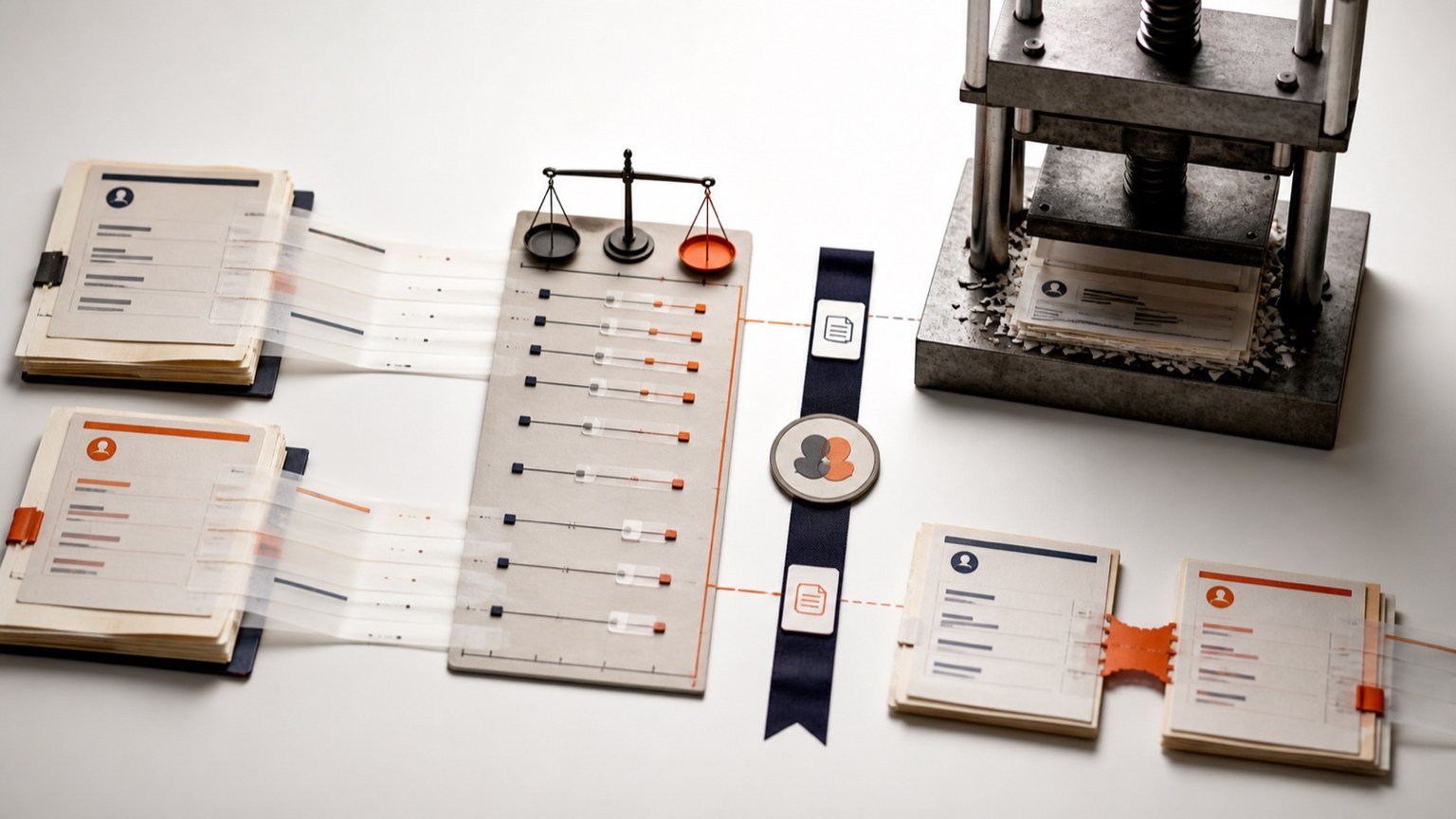
TL;DR: Merging duplicate CRM records looks like risk-free cleanup until the wrong two records combine into one. Five rules make it safe in 2026: a confidence threshold that separates automatic merges from manual review, a documented survivorship rule for every field that can disagree between duplicates, a clear picture of what your CRM actually does the moment you click merge, an audit trail that satisfies GDPR rectification, and a real way to recover when a merge turns out to be wrong, since most CRMs, HubSpot included, cannot undo one.
Merge duplicates without losing the evidence. Review your survivorship and audit requirements with our team, or test the match output on your own CRM export. Book a Demo or Try Tilores Studio (Free).
On this page
- Why do CRM merges fail quietly instead of loudly in 2026?
- Rule 1: What confidence threshold should trigger an automatic merge?
- Rule 2: Which value wins when two duplicate records disagree?
- Rule 3: What does your CRM actually do the moment you click merge?
- Rule 4: What audit trail does a merge need to satisfy GDPR rectification?
- Rule 5: How do you recover when a merge turns out to be wrong?
- CRM-native merge vs. a resolution layer: a 5-point comparison
Why do CRM merges fail quietly instead of loudly in 2026?
A bad merge does not throw an error. It produces one record that looks completely normal: a name, a company, an order history, a support thread, all in one place. Nothing about the merged record signals that it used to be two different people. The failure shows up weeks later, when a renewal email goes to the wrong inbox or a support agent references a purchase the customer never made, and by then the two original records are already gone.
That is the specific risk this piece is about. Finding duplicates is a solved problem for most teams. Deciding whether a candidate pair is confident enough to merge automatically, which field values survive when the two records disagree, and what happens if the decision was wrong, is where the actual damage is done or avoided. Five rules cover that decision, end to end.
Rule 1: What confidence threshold should trigger an automatic merge?
Every matching system, whether it is a CRM’s native duplicate finder or a dedicated resolution layer, produces a confidence score for each candidate pair of records. The rule that matters is not which scoring method is used. It is where the line sits between “merge automatically” and “send to a human.”
A threshold set too low auto-merges pairs that only share a common first name and city. A threshold set too high pushes so many genuine duplicates into a manual queue that nobody clears it, and the CRM stays cluttered anyway. Tilores’s own match output separates these two failure modes by scoring at two different points: an score for the overall quality of matches inside a resolved entity, and a hitScore for how closely a specific result aligns with the search that produced it, both floats in the range (0.0, 1.0] where a higher number means better match quality. Keeping those two scores separate, rather than collapsing everything into one pass or fail number, is what makes a threshold decision auditable instead of a guess.
The practical rule: auto-merge only where the evidence is strong enough that a human reviewing the same pair would reach the same conclusion in seconds, and route everything else, including anything near the boundary, to review. A threshold is not “set and forget.” It needs revisiting whenever a new data source joins the pipeline, because a source with sparser fields will produce lower scores for genuinely correct matches, not because the matches are worse but because there is less evidence per pair.
Rule 2: Which value wins when two duplicate records disagree?
Confidence scoring answers whether two records are the same entity. It says nothing about which field values should survive once they are combined, and that is a separate decision every merge has to make. Profisee’s explanation of the concept is direct: survivorship rules “resolve these conflicts by determining which values should be considered authoritative and retained in the merged or consolidated record,” and survivorship itself is “the process of determining which data values should be retained or ‘survive’ when conflicting or duplicate data records are merged or resolved.”
Without a documented rule, most CRMs default to a simple and often wrong heuristic: whichever record you designated as primary wins on every field, even where the other record’s value was more recent or more complete. A real survivorship policy assigns the rule per field, not once per merge. A job title might survive from whichever record was updated most recently. A country code might survive from whichever record has a value at all when the other is blank. A support ticket count should never be overwritten; it should be summed across both records, not selected from one of them.
Writing this down before the first merge runs is cheap. Discovering it was never written down after six months of merges have already applied the wrong default is not.

A safe merge preserves the evidence behind the threshold, every surviving field and the path back when later evidence changes.
New posts on entity resolution, identity data and AI. No spam, unsubscribe any time.
Rule 3: What does your CRM actually do the moment you click merge?
Most teams assume their CRM’s merge button applies something like a considered survivorship policy. HubSpot’s own documentation on merging records describes something plainer: “in general, the primary record’s property values are prioritized, which means the merged record’s values will reflect those from the primary record,” with one exception, “if the primary record does not have a value for a property (e.g., null, empty) the secondary record’s value is used.” That is a single global rule, primary wins, blank loses, applied identically across every field on the record, regardless of which value is actually more accurate.
For a field like company name, primary-wins is usually harmless. For a field like lifetime order value, a renewal date, or a compliance flag, primary-wins can silently discard the correct number in favour of a stale one, purely because of which record a person happened to click first. Knowing this default is the first step to overriding it, either by choosing the primary record deliberately field by field before merging, or by pre-computing the correct survived value in a separate system before the merge ever touches the CRM.
Rule 4: What audit trail does a merge need to satisfy GDPR rectification?
A merge is not just a data operation; it is also a claim about a person, that two sets of activity belong to the same individual. Article 16 of the GDPR gives that person a concrete right if the claim is wrong: “the data subject shall have the right to obtain from the controller without undue delay the rectification of inaccurate personal data concerning him or her.” If a bad merge attached someone else’s order history to a customer’s record, that customer’s data is now inaccurate, and the rectification clock starts the moment they notice.
Answering that request quickly requires knowing, for every merged record, which two source records went in, what each contributing field value was before the merge, and which survivorship rule decided the outcome. Without that trail, correcting a bad merge means manually reconstructing what happened from whatever fragments remain, usually under time pressure once a customer has already complained. With it, a rectification request becomes a lookup rather than an investigation.
This is also where scoring transparency earns its keep. A merge record that carries its original entity score and hitScore alongside the survivorship decision gives a reviewer the evidence to say confidently whether the merge was reasonable given what was known at the time, or whether the threshold in Rule 1 needs adjusting.
Rule 5: How do you recover when a merge turns out to be wrong?
The uncomfortable fact most teams discover only after a bad merge is that their CRM has no undo button for it. HubSpot states this plainly: “it’s not possible to unmerge records,” offering only a partial workaround, recreating a new record from a leftover email address or domain name that the merge did not consume. The two original activity histories are not coming back apart.
That gap is the strongest argument for keeping the resolution decision separate from the CRM’s own destructive merge. A resolution layer that represents a match as a scored, provenance-carrying edge between two still-intact source records, rather than performing a field-overwrite merge inside the CRM itself, treats “these two records are the same entity” as a piece of data that can be corrected, not an action that can only be redone from scratch. Adjusting or removing that edge when new evidence contradicts it is a data update. Reconstructing two customer histories that a CRM already flattened into one is not.
None of this removes the value of the CRM’s merge feature entirely. It changes when you use it: after the matching decision has already been reviewed and is trusted, not as the first place that decision gets made.
| Dimension | CRM-native field-overwrite merge | Resolution layer with survivorship and provenance |
|---|---|---|
| Reversibility | Usually none once applied; HubSpot’s own documentation confirms merged records cannot be split back apart | Structural; the match is a scored edge that can be corrected, not a destructive action |
| Survivorship control | One global rule, typically primary-record-wins with a blank-field exception | Rule can be set per field, per source, and revisited without re-running a destructive merge |
| Audit trail for GDPR rectification | Limited to whatever change history the CRM retains by default | Entity score, hitScore, and contributing source records are attached to every match decision |
| When the decision runs | At the moment a user clicks merge, usually manually or in a scheduled cleanup job | Continuously, at ingestion, across every system an entity touches, not only inside the CRM |
| Consistency across systems | Applies only inside the one CRM where the merge button was clicked | The same resolved identity is available to CRM, support, and billing systems through one API |
Putting the five rules together before the next merge job runs
None of these five rules require a new platform to start applying. A team can set an explicit confidence threshold this week, write down a per-field survivorship policy this week, and start logging which source records contributed to every merge this week, all inside an existing CRM-native workflow. What changes when a dedicated resolution layer sits alongside the CRM is where that logic lives: as a documented, revisitable policy attached to every match decision, rather than a one-time judgement call buried inside whichever record a person happened to click as primary.
The reconciling customer identities after a merger or acquisition case is the highest-stakes version of this same problem at much larger scale, and the seven pitfalls in B2B account deduplication covers the architectural reasons a one-time CRM cleanup keeps recreating the same duplicates. Both assume the same starting point this piece makes explicit: a safe merge is a decision with a threshold, a rule, and a trail, not a button.
FAQ
What is a survivorship rule in CRM data merging?
A survivorship rule decides which field value is kept when two duplicate records disagree during a merge, such as which job title, phone number, or order total should survive in the combined record. Without an explicit rule, most CRMs apply one global default (usually the primary record wins) to every field, regardless of which value is actually correct.
Can you undo a CRM merge once it has been applied?
In HubSpot, no. Its own documentation states plainly that it is not possible to unmerge records, offering only a partial workaround of recreating a new record from a leftover email address or domain the merge did not consume. This is why treating the match decision as reversible data, rather than a one-way action inside the CRM, matters before duplicates are merged, not after.
What confidence score should trigger an automatic merge versus manual review?
There is no universal number, because the right threshold depends on how much evidence each source record carries. The safer approach is auto-merging only where the evidence is strong enough that a human reviewer would reach the same conclusion in seconds, and routing every borderline pair, plus anything from a sparser data source, to manual review instead of guessing at a single fixed cutoff.
What does GDPR Article 16 require when a CRM merge is wrong?
Article 16 gives a person the right to obtain rectification of inaccurate personal data concerning them without undue delay. If a bad merge attached someone else’s records to a customer’s profile, that customer’s data is inaccurate, and answering their correction request quickly depends on already having an audit trail of which source records and field values went into the merge.
Should deduplication happen inside the CRM or in a separate system?
Both roles matter, but they are not the same role. The CRM’s merge button is a good place to apply a matching decision that has already been reviewed and trusted. Making that decision safely, with a documented confidence threshold, per-field survivorship rules, and a provenance trail, is easier to sustain in a system built for continuous matching across every source an entity touches, rather than a one-time cleanup pass inside a single CRM.
Sources
- Data Matching and Record Linkage Software, Profisee, checked 2026-08-26.
- Merge records, HubSpot Knowledge Base, checked 2026-08-26.
- Art. 16 GDPR: Right to rectification, General Data Protection Regulation, checked 2026-08-26.
- API Reference, Tilores Documentation, checked 2026-08-26.
- Deployment Options: Run Tilores Where Your Data Is, Tilores, checked 2026-08-26.
- Reconciling Customer Identities After a Merger or Acquisition (2026), Tilores, checked 2026-08-26.
- B2B Account Deduplication: The Seven Pitfalls That Corrupt Your CRM (2026), Tilores, checked 2026-08-26.
- Contact, Tilores, checked 2026-08-26.
See what resolved entity data does for your business — and your AI.