Resolve First, Then Screen: Tilores Studio Now Checks Your Customer List Against OpenSanctions

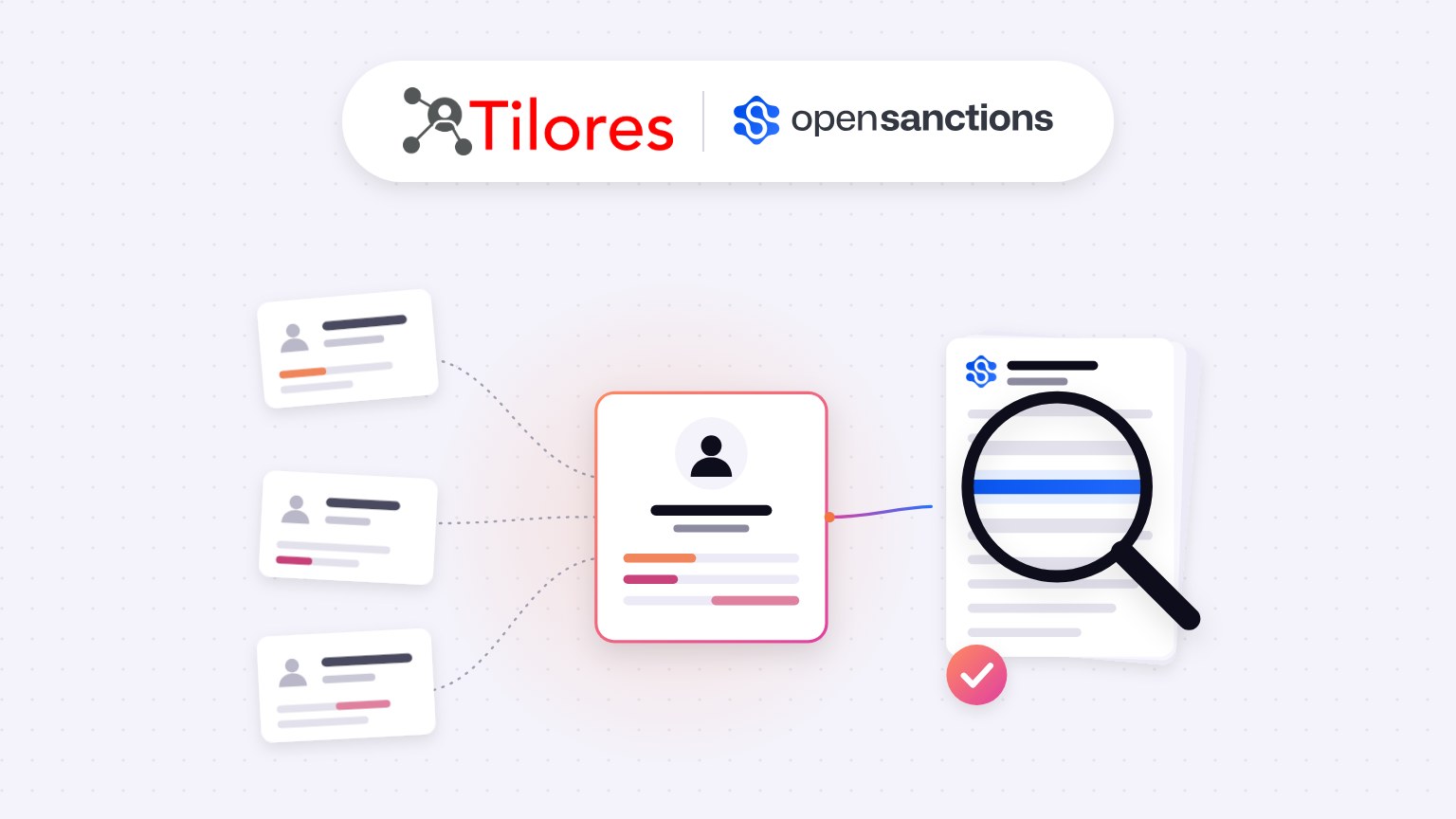
TL;DR: Screening duplicate records one at a time means every check runs on partial information. Tilores Studio now resolves your customer list into one entity per real customer first, then screens each entity against OpenSanctions data from more than 400 sources covering sanctions, politically exposed persons (PEPs) and watchlists. We built it with the OpenSanctions team. You can try it free on your own machine, and in local mode your data stays there.
Book a Demo · Try Tilores Studio (Free)
On this page
- What is wrong with screening one record at a time?
- What does Tilores Studio now do with OpenSanctions data?
- Why did we build this with OpenSanctions?
- How do you run your first screening?
- How does this move from evaluation to production?
- Where can you see it live?
- Frequently asked questions
Most compliance teams don’t screen customers. They screen records. The two only line up when every customer exists exactly once in your data, and in practice that is rarely true.
So we asked a simple question: what happens to a sanctions check when the same person shows up three times? The answer led to a new feature in Tilores Studio, built together with OpenSanctions.
What is wrong with screening one record at a time?
Each duplicate carries only part of the picture, so each screening result is only as good as the fragment it was given.
Take one customer spread across three systems. The CRM holds a name and an email address. Billing holds a slightly different spelling of the name and a date of birth. The onboarding system holds a nationality and a passport number. Screen those three records separately and two things can go wrong:
- Missed or weak matches. The record with only a name and an email gives a watchlist matcher very little to work with. The attribute that would confirm or rule out a hit sits in a different system.
- Repeated alerts. If all three records produce a possible hit, your analysts review the same person three times, each time with a different partial profile, and may reach three different conclusions.
As I put it when we launched this: “You can’t be confident in a sanctions check if you’re only screening one version of a customer.” Entity resolution changes the question from “did we check this record?” to “did we check this person?”, and lets you show that you did.
New posts on entity resolution, identity data and AI. No spam, unsubscribe any time.
What does Tilores Studio now do with OpenSanctions data?
Studio runs two steps in order: resolve, then screen.
- Resolve. Studio matches your customer or company records, merges duplicates and links related records, so you end up with one entity per real-world customer. That entity carries every attribute found across its source records.
- Screen. Each resolved entity is checked against OpenSanctions data. Because the entity holds the combined attributes, the comparison uses the most complete profile you have rather than whichever fragment happened to be in one system.
Two details make this practical rather than a one-off exercise. Studio recognises OpenSanctions data when you load it and proposes the recommended field mapping, so you don’t have to map their schema by hand. And when you load a newer OpenSanctions export, Studio highlights what changed in the sanctions data since your last import, which is where the new risk usually sits.
Why did we build this with OpenSanctions?
Because they solve the problem we don’t, and we solve the one they don’t.
OpenSanctions collects, cleans and publishes sanctions lists, PEP data and other watchlists from more than 400 sources, with transparent sourcing that compliance teams can inspect. Tilores resolves messy, duplicated customer data into reliable entities in real time. Screening quality depends on both sides of the comparison. Good reference data paired with fragmented customer data still produces fragmented results.
OpenSanctions is also deliberately designed to be built on. Its founder, Friedrich Lindenberg, describes the approach in OpenSanctions’ announcement of the partnership: “We don’t try to be the whole compliance stack, but a data resource that can be built on top of and expanded.” That made the integration natural. They keep the data current, and we make sure your side of the match is clean.
How do you run your first screening?
You can go from download to screening results in one sitting:
- Download Tilores Studio for free from tilores.io/download.
- Create a profile and choose a person or company schema. In local mode the schema and matching rules are fixed, so you can start straight away.
- Load your records. In the Batch section, ingest a CSV of customers or companies. Studio matches duplicates and links related records.
- Screen against OpenSanctions. Load the OpenSanctions data. Studio detects it, applies the recommended mapping and screens your resolved entities.
- Re-run when the lists change. On later imports, Studio highlights what changed in the sanctions data since the last run.
Local mode works with real or synthetic data, and the data never leaves your machine.
How does this move from evaluation to production?
Local mode is for evaluation. For production, we generally recommend running Tilores on serverless cloud infrastructure, either hosted by us on AWS or in your own cloud account. There you can configure the schema and matching rules to fit your data.
Studio stays the interface throughout. The same install you evaluate with connects to your Tilores Cloud deployment, so the team that tested the screening workflow keeps working in the tool it already knows.
On the OpenSanctions side you have two options:
- Scheduled imports. Load OpenSanctions data at whatever interval your screening policy requires.
- Real-time alerts. Connect the OpenSanctions API to Tilores so changes to watchlist data trigger alerts against your resolved entities as they happen.
For more on running Tilores in your own environment, see our deployment options.
Where can you see it live?
On 5 November 2026, I’m joining Friedrich Lindenberg for a LinkedIn Live session. We’ll cover how to keep sanctions, watchlist and PEP data clean, and I’ll demo screening a customer dataset in Tilores Studio from start to finish. Register for the LinkedIn Live.
Frequently asked questions
Does my customer data leave my machine?
Not in local mode. Tilores Studio runs on your own computer, and the records you load for evaluation stay there. In production, Tilores runs either in Tilores’ AWS environment or in your own cloud account, depending on the deployment you choose.
Why resolve duplicates before screening instead of after?
Because each screening check is only as good as the data it receives. Resolving first means every real customer is screened once, with every attribute you hold about them. Screening first gives you more alerts, each based on less information, which you then have to reconcile by hand.
Does Tilores replace my screening or case management tool?
No. Tilores is the entity resolution layer. It makes sure the customer side of the comparison is complete and deduplicated. It works alongside the screening, alert handling and case management processes you already run.
Can I screen companies as well as people?
Yes. When you create a profile in Tilores Studio, you choose either a person or a company schema.
Do I need a licence to use OpenSanctions data?
OpenSanctions data is free for non-commercial use. Commercial use requires a licence from OpenSanctions. See their licensing page for details.
Is Tilores Studio free?
Yes. You can download Tilores Studio for free and evaluate it locally with your own or synthetic data. For production, book a demo and we’ll walk you through the cloud deployment options.
See what resolved entity data does for your business — and your AI.